
How to Build a Reputation Management System That Creates Long-Term Trust
- Reading Time : 10 min
- Category : Reputation
- Updated Date : 24-08-2026
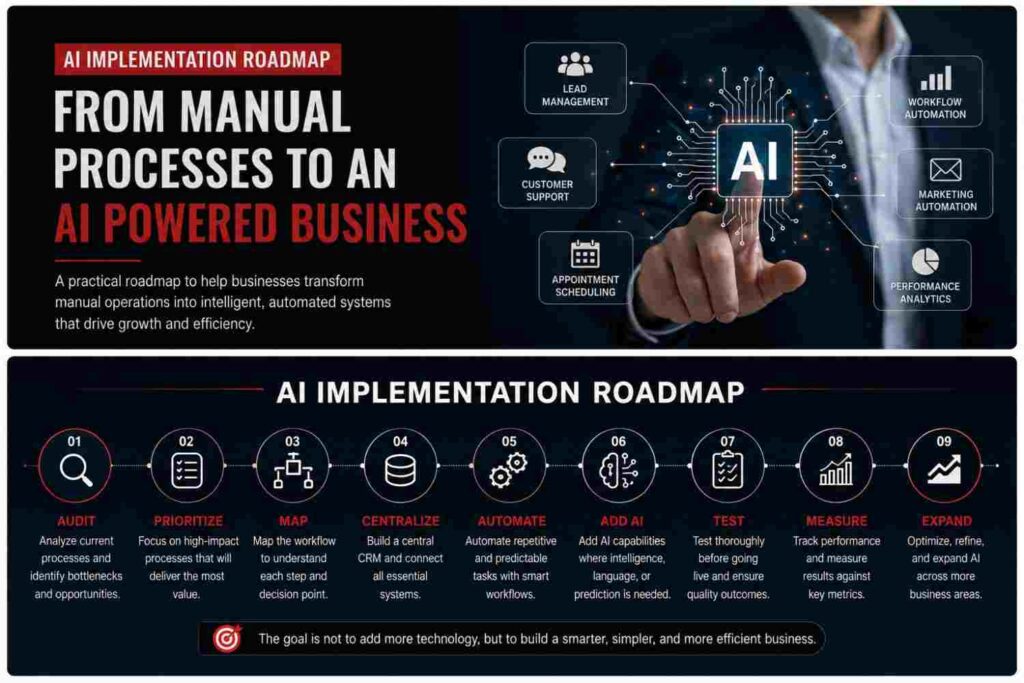
Table Of Content
- Reputation Starts With the Customer Experience
- Reputation Management Should Be a Process, Not a Task
- The Customer Feedback Loop
- How Reviews Influence the Customer Journey
- Make Asking for Reviews Part of the Processl
- The Difference Between Collecting Reviews and Building Reputation
- Your Reputation Is Built One Customer at a Time
- Final Thoughts
Introduction
AI implementation does not have to mean rebuilding your entire business around artificial intelligence. For most businesses, the better approach is much simpler. Start with the processes that consume the most time, create the most mistakes, or cause leads and opportunities to fall through the cracks. Then introduce automation and AI where they can produce a measurable improvement.
This creates a gradual path from manual operations to a more connected and intelligent business system. The goal is not to use AI everywhere. The goal is to build an operation where technology handles repetitive work while your team focuses on decisions, relationships, sales, and growth. Here is a practical AI implementation roadmap businesses can follow.
Stage 1: Audit Your Existing Processes
Before introducing AI, understand how the business currently operates. Look at the journey from the moment a potential customer discovers your business to the point where they become a customer. Then examine what happens after the sale. Ask:
• Where is information entered manually?
• Where do employees repeat the same tasks?
• Where are leads being lost?
• Which customer questions are repeated frequently?
• Where does information move between different systems?
• Which processes depend too heavily on individual employees?
This audit creates a clear picture of where AI and automation can actually help. Auxth identifies manual processes, dropped lead follow ups, disconnected data, and system fragmentation as common operational bottlenecks that automation can address.
Stage 2: Prioritize the Biggest Bottlenecks
Not every manual process deserves automation. Start with processes that have a clear business impact. For example, if sales staff spend hours manually entering leads into a CRM, automating lead capture may provide an immediate improvement. If your team constantly answers the same basic questions, an AI chatbot or virtual assistant may be more useful.
If appointments are coordinated manually, automated scheduling and reminders could reduce administrative work.
Stage 3: Map the Workflow
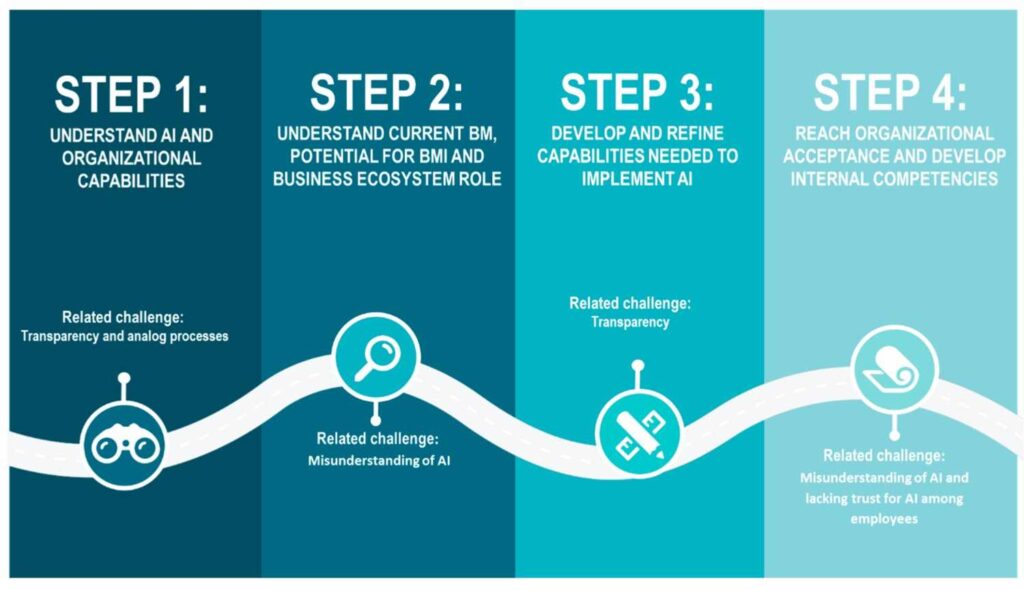
Once you choose a process, map what actually happens. Consider a new lead as an example.
- A visitor submits a form.
- Their information enters the CRM.
- The lead is assigned to the correct person.
- A confirmation message is sent.
- A follow up sequence begins.
- The sales team receives a notification.
- The opportunity moves through the pipeline.
- A meeting is scheduled.
This is a workflow. AI does not need to replace every step. Some steps should remain automated rules, while AI can handle areas that require language understanding, qualification, personalization, or decision support. This distinction is important because effective AI implementation combines automation logic with AI capabilities, rather than treating AI as a replacement for every business process.
Stage 4: Build a Central System
AI becomes significantly more useful when business information is connected. Instead of keeping customer information across spreadsheets, inboxes, calendars, forms, and separate applications, businesses can build around a central CRM. A CRM can become the operational source of truth for customer records, opportunities, communication history, appointments, and follow ups.
Auxth’s automation architecture focuses on connecting CRM systems with communication tools, marketing infrastructure, sales processes, and backend operations. This foundation makes future automation much easier.
Stage 5: Introduce Practical Automation
Once the foundation is ready, automate predictable processes first. Examples include:
Lead Capture
Automatically send new inquiries into the CRM and route them to the appropriate pipeline or team member.
Lead Follow Up
Trigger email or SMS follow ups based on lead activity and predefined conditions.
Appointment Scheduling
Allow prospects to book directly through connected calendars while automatically sending confirmations and reminders.
Customer Support
Use AI chatbots or virtual assistants to handle common questions and basic qualification before handing complex conversations to a human.
Administrative Tasks
Automate repetitive data entry, notifications, task creation, and information movement between connected systems.
These are practical applications because they solve identifiable operational problems rather than adding AI simply for the sake of using it.
Stage 6: Add AI Where Judgment or Language Is Needed
After basic automation is stable, AI can be introduced into more advanced parts of the workflow. For example, AI can help qualify leads based on conversations, assist with customer responses, generate email drafts, summarize information, or support internal workflows. Businesses can also introduce AI agents and Voice AI where the use case justifies them. Auxth’s technology stack includes AI agents, Voice AI, webhooks, API connections, n8n, Zapier, and GoHighLevel.
The important point is sequencing. Do not start with the most complicated AI system. Start with a reliable process, automate the predictable parts, then introduce AI into the areas where intelligence adds genuine value.

Stage 7: Test Before Scaling
An AI workflow should be tested before it becomes part of everyday operations. Create real scenarios and test what happens.
What happens when a lead provides incomplete information?
What happens when someone asks a question outside the AI’s knowledge?
What happens when a customer wants a human?
What happens if an automation fails?
What happens when two systems receive conflicting information?
Testing helps identify weaknesses before they affect customers. It is also important to establish clear human handoff points. AI should support your team, not create situations where customers become trapped inside an automated process.
Stage 8: Measure Business Results
The final stage is measurement. Do not measure success by how many AI tools your business has. Measure what changed. Useful metrics can include:
• Lead response time
• Number of qualified leads
• Appointment bookings
• Follow up completion rate
• Administrative hours saved
• Customer response time
• Conversion rate
• Pipeline visibility
• Missed opportunities
The purpose of implementation is improvement. If an AI workflow does not improve an important business outcome, it should be reviewed rather than kept simply because it uses advanced technology.
Stage 9: Expand Gradually
Once one workflow works reliably, move to the next. A business might begin with CRM lead capture, then add automated follow ups, appointment scheduling, customer support, marketing workflows, and eventually more advanced AI agents. This phased approach reduces operational risk and gives teams time to adapt. It also prevents businesses from creating unnecessarily complicated systems before they understand what they actually need.
A Practical AI Implementation Sequence
A simple implementation path can look like this:
Audit → Prioritize → Map → Centralize → Automate → Add AI → Test → Measure → Expand
Each stage builds on the previous one. This approach creates an AI implementation strategy that is practical, measurable, and easier for a team to manage.
Final Thoughts
Moving from manual operations to an AI powered business is a journey, not a single software installation. Start by understanding your existing processes. Identify the biggest bottlenecks. Build a reliable CRM and automation foundation. Introduce AI where it provides genuine value, test everything carefully, measure the results, and expand gradually.
This approach keeps AI practical. More importantly, it ensures technology is supporting the business strategy rather than becoming another layer of complexity.
Frequently Asked Questions
What is an AI implementation roadmap?
An AI implementation roadmap is a structured plan for identifying business processes that can benefit from automation and AI, implementing them in stages, and measuring the resulting business improvements.
Where should a business start with AI?
Start with a repetitive process that has a measurable impact, such as lead management, customer support, appointment scheduling, follow ups, or administrative work.
Does every business need an AI agent?
No. AI agents are useful for specific tasks, but many businesses can achieve significant improvements through basic workflow automation and CRM integration first.
Why is a CRM important for AI implementation?
A centralized CRM gives the business a consistent place for customer information, communication history, opportunities, appointments, and workflow activity. This creates a stronger foundation for automation.
Should businesses automate everything at once?
No. A phased implementation is usually more practical. Businesses should start with high impact workflows, test them, measure results, and expand once the foundation is stable.
Ready to Build a More Intelligent Business?
Your business may already have the tools it needs to automate more of its daily operations. The challenge is connecting those tools into a system that actually works together. Auxth helps businesses build connected automation systems across CRM, lead management, customer communication, scheduling, marketing, workflows, and AI powered processes.
Ready to turn manual processes into smarter business systems? Get in touch with Auxth and start building your AI implementation roadmap.
Related Articles
What Is GoHighLevel? The Complete Business Guide (2026)
Learn what GoHighLevel is, how it works, its key features, benefits, pricing, and why businesses use it to automate marketing, sales, and customer management.
10 GoHighLevel Features Every Growing Business Should Use in 2026
Discover the 10 most powerful GoHighLevel features that help businesses automate marketing, manage leads, build sales funnels, streamline customer communication, and improve efficiency, all from one all-in-one business platform.
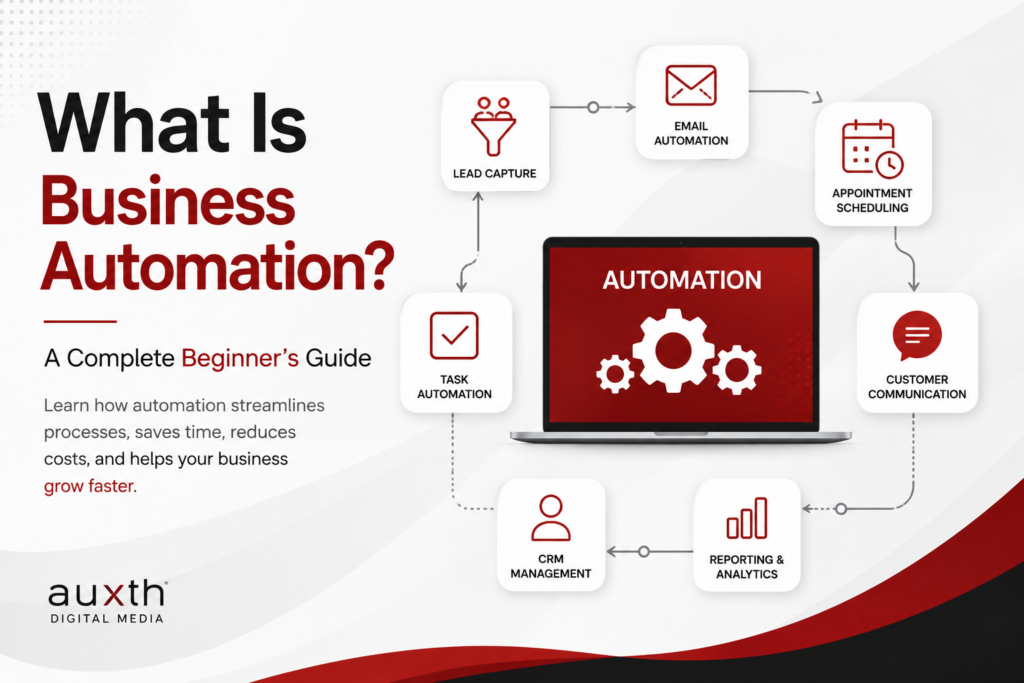
What Is Business Automation? A Complete Beginner's Guide
Discover how business automation helps companies streamline repetitive tasks, improve productivity, reduce errors, and create more efficient workflows.